Arrow Check Black Icon Pack: Streamline Design Projects with Practical Icons
Designers, developers, and creators often face the challenge of finding consistent, high-quality visual elements that work across multiple platforms. The Arrow Check Black Icon Pack offers a solution with a curated set of 39 icons designed for clarity and flexibility. Whether you're building a dashboard, designing a mobile app, or preparing an infographic, these icons provide a clean visual language that supports intuitive user interaction.
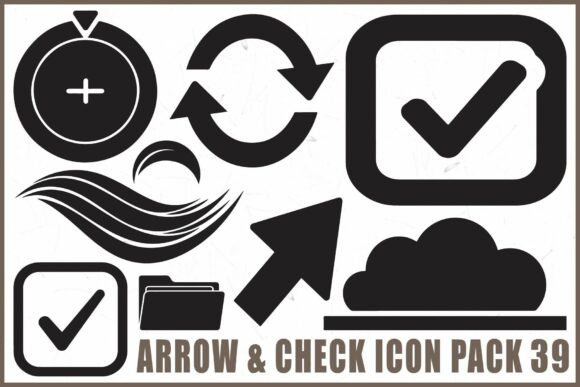
Each icon in the pack serves a specific purpose. Refresh arrows help indicate loading or updates, directional symbols guide navigation, approval checks confirm actions, and cloud and folder elements support file-related interfaces. These icons are not just decorative—they’re functional tools that enhance communication between users and digital products.
Why Icon Consistency Matters in Design
Visual consistency is essential for professional design work. Inconsistent icons can disrupt the user experience and make interfaces feel disjointed. The Arrow Check Black Icon Pack ensures uniformity with a cohesive style across all 39 icons. This consistency supports better recognition and usability, especially in complex applications where clarity is key.
For example, when designing a task management app, using matching check icons for completed items helps users instantly recognize progress without confusion. Similarly, in a web dashboard, aligned directional arrows and refresh symbols create a more intuitive navigation flow.
Time-Saving Benefits for UI and Web Developers
Time is a valuable resource in any design or development project. The Arrow Check Black Icon Pack helps streamline workflows by providing ready-to-use icons that integrate seamlessly into popular design tools and platforms. Whether you're working in Figma, Illustrator, Photoshop, or Cricut, these icons reduce the need to create or source visuals from scratch.
Designers can quickly insert scalable SVG files into prototypes or export PNG versions with transparent backgrounds for web use. Developers benefit from clean vector formats that maintain quality at any size, reducing the need for image optimization or format conversion.
Supporting Creativity Across Multiple Use Cases
Creativity thrives when tools are flexible and adaptable. The Arrow Check Black Icon Pack supports a wide range of creative applications. Educators designing interactive learning materials can use directional arrows to guide students through lessons. Entrepreneurs launching a new SaaS product can incorporate approval checks to highlight successful actions in their interface.
These icons also work well in physical design projects. Crafters using Cricut machines can cut clean, precise shapes from the vector files for stickers, labels, or signage. The simplicity of black icons makes them easy to layer into designs without overwhelming other visual elements.
Scalable for Web, Mobile, and Print Applications
One of the most important features of the Arrow Check Black Icon Pack is its scalability. Vector formats like SVG and EPS maintain quality at any size, making them ideal for responsive web design and high-resolution print work. Whether you're designing a mobile app icon or a large-format poster, these icons retain their sharpness and clarity.
For mobile app developers, this means a single icon set can be used across different screen sizes without loss of detail. For print designers, it ensures clean reproduction in brochures, packaging, or instructional materials. The high-resolution JPG files also provide a ready-to-print option for those who prefer raster formats.
Choosing the Right Format for Your Project
The Arrow Check Black Icon Pack includes multiple file formats to suit different workflows. SVG files are ideal for web and UI design due to their lightweight nature and scalability. EPS files are best for print and editing in vector-based software like Adobe Illustrator. PNG files with transparent backgrounds are perfect for overlaying icons on any background color or image.
While the pack offers comprehensive format support, it's important to choose the right type based on your project needs. For instance, if you're creating a digital dashboard, SVG files will provide the best performance and adaptability. If you're laser cutting physical shapes, EPS or SVG files will ensure precision in the cutting process.
Improving User Experience Through Visual Clarity
Icons are more than just visual elements—they’re part of the user experience. Clear, recognizable symbols help users navigate interfaces with minimal cognitive effort. The Arrow Check Black Icon Pack uses simple, bold shapes that are easy to interpret at a glance.
In a task completion scenario, a checkmark icon instantly signals success without requiring additional text. In a cloud storage interface, folder and upload arrows help users understand file actions. These subtle design choices contribute to a smoother, more intuitive user journey.
Who Benefits Most from This Icon Pack?
Professionals who frequently work with digital interfaces will find the Arrow Check Black Icon Pack especially useful. UI designers can integrate these icons into wireframes and prototypes with confidence. Web developers appreciate the cross-platform compatibility and optimized file sizes. Entrepreneurs and marketers creating landing pages or dashboards can use the icons to reinforce key actions and outcomes.
Crafters and small business owners also benefit from the pack’s versatility. Whether designing a product label, creating a digital presentation, or preparing a print brochure, these icons offer a clean, professional touch without the need for custom illustration.
Considerations When Choosing Icon Sets
While the Arrow Check Black Icon Pack offers many advantages, it’s important to consider whether it fits your specific needs. This set is designed with a minimalist, monochrome style, which may not suit projects requiring color variation or complex visual themes. Users looking for more diverse icon styles or thematic variations may need to supplement with additional packs.
It's also worth comparing this pack with other icon libraries to ensure it aligns with your project’s visual language. However, for those who value clean, functional design and practical usability, this pack provides a strong foundation for both digital and physical design work.