Set of Hand Drawn Doodle Elements Bundle: A Practical Tool for Creative Workflows
Designers, educators, and content creators often find themselves needing flexible visual assets that can be reused across multiple projects. The Set of Hand Drawn Doodle Elements Bundle fills this need with a versatile collection of scalable, editable doodle graphics. Whether you're designing a planner layout, creating digital course materials, or preparing marketing assets, this bundle provides a consistent visual language that integrates seamlessly into your workflow.
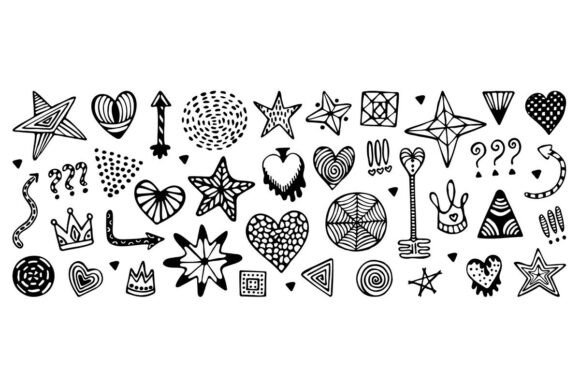
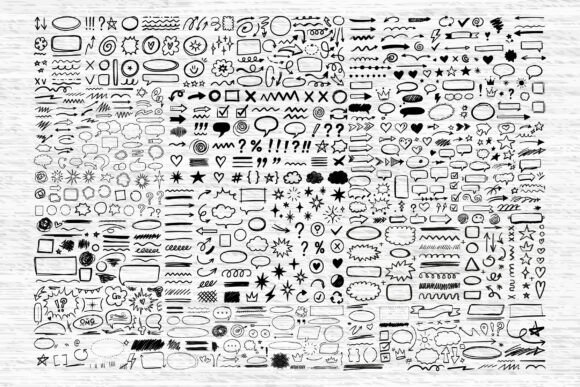
The bundle includes a wide range of elements such as arrows, speech bubbles, icons, frames, and decorative accents—all drawn in a clean black and white style. This uniformity ensures that components work well together, eliminating the need to search for matching assets across different sources. For professionals managing multiple creative tasks, this consistency translates into time saved and fewer design adjustments during the production phase.
Before the Project: Planning and Preparation
Integrating the Set of Hand Drawn Doodle Elements Bundle into your workflow starts with understanding how it aligns with your project goals. Before launching into a design or content creation task, consider the visual tone you want to establish. The hand-drawn aesthetic works well for both playful and professional contexts, making it suitable for branding materials, educational handouts, or social media graphics.
For example, if you're preparing a set of digital worksheets for a course, sketch-style icons and frames can help break up content visually without overwhelming the reader. Similarly, when designing a product packaging mockup, the doodle elements can serve as subtle accents that add character without competing with the main design.
Planning ahead also means checking file compatibility. The bundle includes SVG, PNG, EPS, AI, JPG, and PDF formats, ensuring usability across design platforms like Adobe Illustrator, Canva, Cricut, and Silhouette. This flexibility allows you to prepare your workspace before starting a project, minimizing delays caused by format conversions or missing assets.
During the Project: Implementation and Customization
Once the project is underway, the real value of the Set of Hand Drawn Doodle Elements Bundle becomes evident. The files are fully scalable and editable, which means they retain quality at any size and can be customized to match your brand colors or layout requirements. For instance, you can easily recolor elements in Adobe Illustrator or layer them with other graphics in Canva to create custom stickers or infographics.
One practical use case is in digital journaling or planner design. Users can drag and drop elements like checkmarks, stars, and arrows to create visual cues that guide the reader through content. Teachers might use speech bubbles and icons to highlight key points in classroom materials, while entrepreneurs can incorporate doodle frames to present product features in a more engaging way.
For those using cutting machines like Cricut or Silhouette, the SVG and EPS formats are particularly useful. You can import doodle elements directly into your design software, adjust sizes as needed, and cut them precisely for physical products such as greeting cards, labels, or handmade packaging.
After the Project: Reusability and Long-Term Use
The benefits of the Set of Hand Drawn Doodle Elements Bundle extend beyond a single project. Because the elements are designed for reuse, they become a reliable part of your creative toolkit. Whether you're updating a presentation, designing a new worksheet, or creating a seasonal marketing campaign, the same set of doodles can be repurposed in different contexts with minimal adjustments.
For professionals who maintain brand consistency across multiple platforms, having a go-to set of visual elements ensures uniformity. You can establish a recognizable visual style across social media posts, email newsletters, and printed materials without constantly sourcing new graphics. This not only improves brand recognition but also reduces the time spent searching for or creating new design assets.
Additionally, the high-resolution nature of the files makes them suitable for both digital and print use. Whether you're exporting a PDF for print or preparing a PNG file for a blog post, the clarity remains intact. This dual usability is especially valuable for freelancers and small business owners who handle both online and offline aspects of their brand presence.
Integration with Other Tools and Platforms
One of the most practical aspects of the Set of Hand Drawn Doodle Elements Bundle is its compatibility with a wide range of tools. Designers who work in Adobe Illustrator will appreciate the AI and EPS files for precise vector editing, while digital creators using Canva or Figma can easily import PNG and SVG files for quick layout adjustments.
Content creators working on digital downloads, such as planners or printable guides, can integrate these doodles into their templates for added visual appeal. Bloggers can use them to highlight key points in blog post visuals or to create engaging social media stories. Educators can insert doodle elements into slide presentations to make lessons more visually engaging for students.
- Adobe Illustrator – Edit vector elements with precision
- Canva – Drag-and-drop integration for quick designs
- Cricut / Silhouette – Cut-ready SVG files for physical projects
- PowerPoint / Google Slides – Use PNGs to enhance presentations
By aligning the doodle elements with your existing tools, you streamline the design process and reduce the learning curve associated with new asset integration.
Workflow Optimization and Practical Tips
To make the most of the Set of Hand Drawn Doodle Elements Bundle, consider organizing your files in a way that supports efficient access. Create a dedicated folder for frequently used elements, and categorize them by type—such as icons, frames, or decorative accents. This simple step can save time when you're working under tight deadlines.
Another practical tip is to create reusable templates. For example, if you regularly design social media graphics, build a base template in your preferred design tool and save it with placeholder doodle elements. When you need to create a new post, simply replace the placeholder content and adjust the layout as needed.
For those working on long-term projects like course creation or brand development, maintaining a visual style guide that includes the doodle elements can help ensure consistency. Define how each type of element should be used—whether as dividers, bullet points, or highlighters—and stick to those guidelines across all deliverables.
Conclusion: A Versatile Asset for Creative Professionals
The Set of Hand Drawn Doodle Elements Bundle is more than just a collection of graphics—it's a practical tool that supports efficiency, consistency, and creativity in a variety of workflows. Whether you're designing digital content, crafting physical products, or preparing educational materials, the flexibility and quality of these doodle elements make them a valuable addition to your creative toolkit.
By integrating this bundle into your planning, execution, and long-term design strategy, you reduce the friction that often comes with sourcing and customizing visual assets. The result is a smoother creative process, more cohesive output, and greater flexibility to adapt to changing project needs—all without compromising on quality or design integrity.